ExpenseIt from Concur1.12.0
Publisher Description
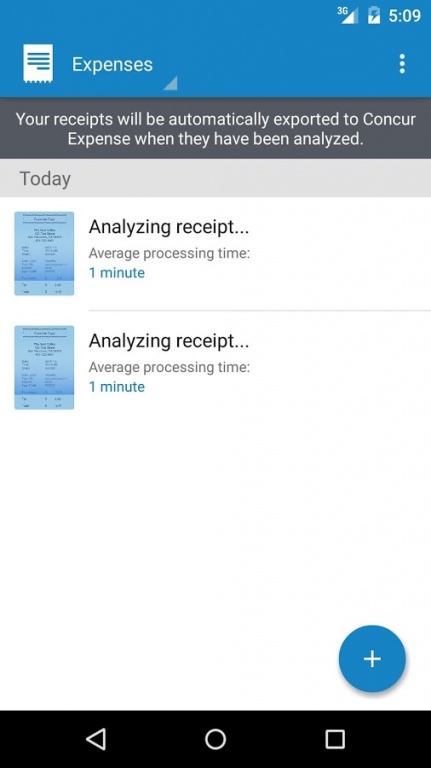
ExpenseIt® Pro from Concur® turns receipts into expenses, automagically, and sends them directly into Concur Expense. It makes submitting receipts and creating expense reports quicker and easier by doing a lot of the work for you.
Tired of receipts piling up? Get expense reports started sooner, so you can get reimbursed faster. Here’s how it works:
1. SUBMIT RECEIPTS ANYTIME, ANYWHERE – IDEALLY WHEN YOU’VE JUST MADE A PURCHASE, OR BEFORE THE RECEIPT GETS STASHED AWAY. EXPENSEIT PRO GIVES YOU THREE EASY WAYS TO SUBMIT RECEIPTS:
•Simply take a photo of a receipt using the ExpenseIt Pro app. iOS users click “use” and Android users click the check mark to have the receipt photo analyzed and turned into an expense.
•Use a receipt photo you’ve already taken; open it in the ExpenseIt Pro app, and click “use” to have it analyzed and turned into an expense.
•If a receipt has been emailed to you, forward it to receipts@ExpenseIt.com; after it’s analyzed, it will be waiting for you in Concur Expense.
2. REVIEW YOUR ANALYZED RECEIPTS – OR HAVE THEM AUTOMATICALLY SENT TO CONCUR EXPENSE – AFTER THEY’RE TURNED INTO EXPENSES:
•To review analyzed receipts first, you can get notified when they’re ready by choosing email or push notifications in the app’s settings. After you review or make changes, simply click “export” to send the receipts to Concur Expense.
•To have your analyzed receipts sent to Concur Expense without reviewing first, select “automatically export expenses to Concur” in the app’s settings, and they’ll be waiting for you in Concur Expense – where you can also make changes as you’re finishing up your expense report.
3. GO TO CONCUR EXPENSE, ADD YOUR EXPENSES TO A REPORT AND YOU’RE DONE.
•With everything in one place, you’ll see that ExpenseIt Pro has selected the expense category, matched receipts with credit card charges, attached the receipt photo, and even itemized your hotel bills for you.
•Simply add each expense to a Concur Expense report, and submit your expense report to get reimbursed.
For more information, visit http://ExpenseIt.com.
About ExpenseIt from Concur
The company that develops ExpenseIt from Concur is Concur. The latest version released by its developer is 1.12.0.
To install ExpenseIt from Concur on your Android device, just click the green Continue To App button above to start the installation process. The app is listed on our website since 2016-09-01 and was downloaded 15 times. We have already checked if the download link is safe, however for your own protection we recommend that you scan the downloaded app with your antivirus. Your antivirus may detect the ExpenseIt from Concur as malware as malware if the download link to com.expenseit is broken.
How to install ExpenseIt from Concur on your Android device:
- Click on the Continue To App button on our website. This will redirect you to Google Play.
- Once the ExpenseIt from Concur is shown in the Google Play listing of your Android device, you can start its download and installation. Tap on the Install button located below the search bar and to the right of the app icon.
- A pop-up window with the permissions required by ExpenseIt from Concur will be shown. Click on Accept to continue the process.
- ExpenseIt from Concur will be downloaded onto your device, displaying a progress. Once the download completes, the installation will start and you'll get a notification after the installation is finished.
Program Details
System requirements
Download information
Pricing
Version History
version 1.12.0
posted on 2016-09-01
• Ability to sort and filter past expenses,• Sleeker look and feel,• Minor bug fixes
